Case file № 002 · Process rebuild · Internal tool
The schedule that lived on a piece of paper
- System
- Float Pool Scheduler
- Client
- National Jewish Health
- Address
- njfloatpool.org ↗
- Status
- Built and deployed · in IT security review
A hospital float pool ran its schedule on one physical sheet of paper, then on one shared spreadsheet that anyone could edit. I built the replacement: a mobile scheduling system worked from a text-message link, with no logins and no app, while keeping the spreadsheet the source of truth.
 In review
The evidence
Screens of the running thing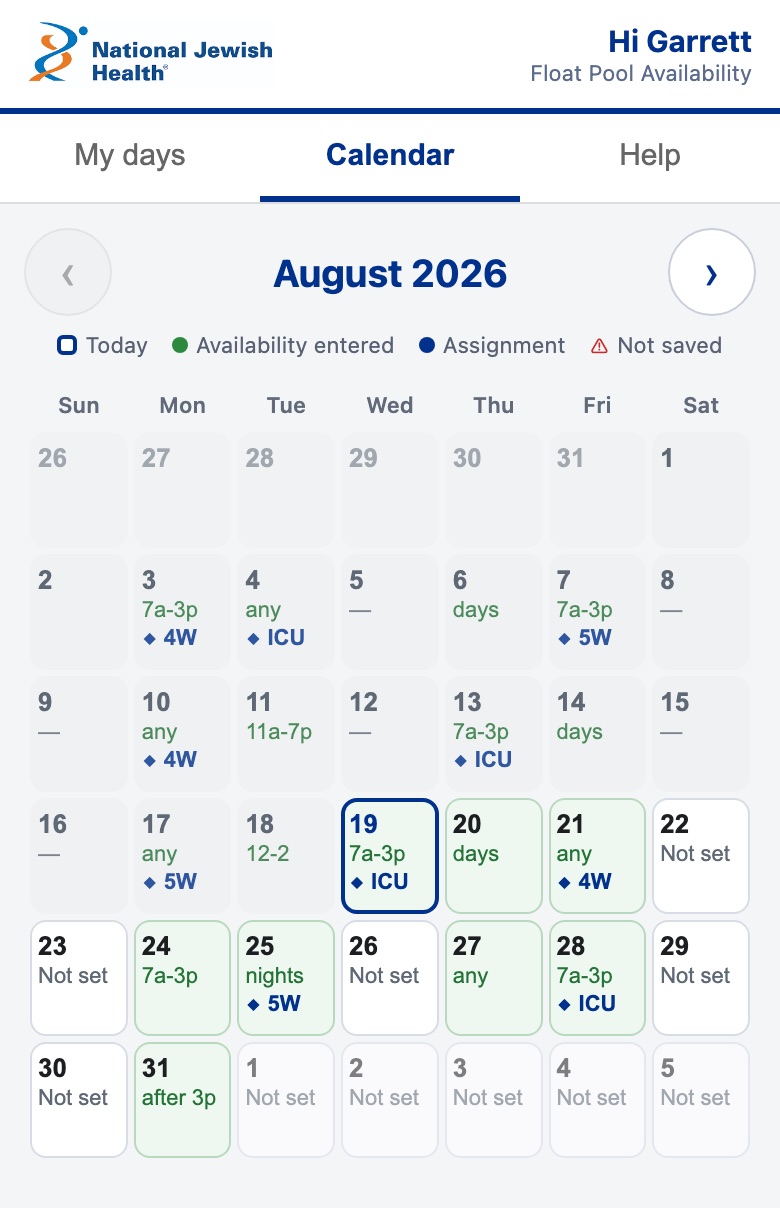
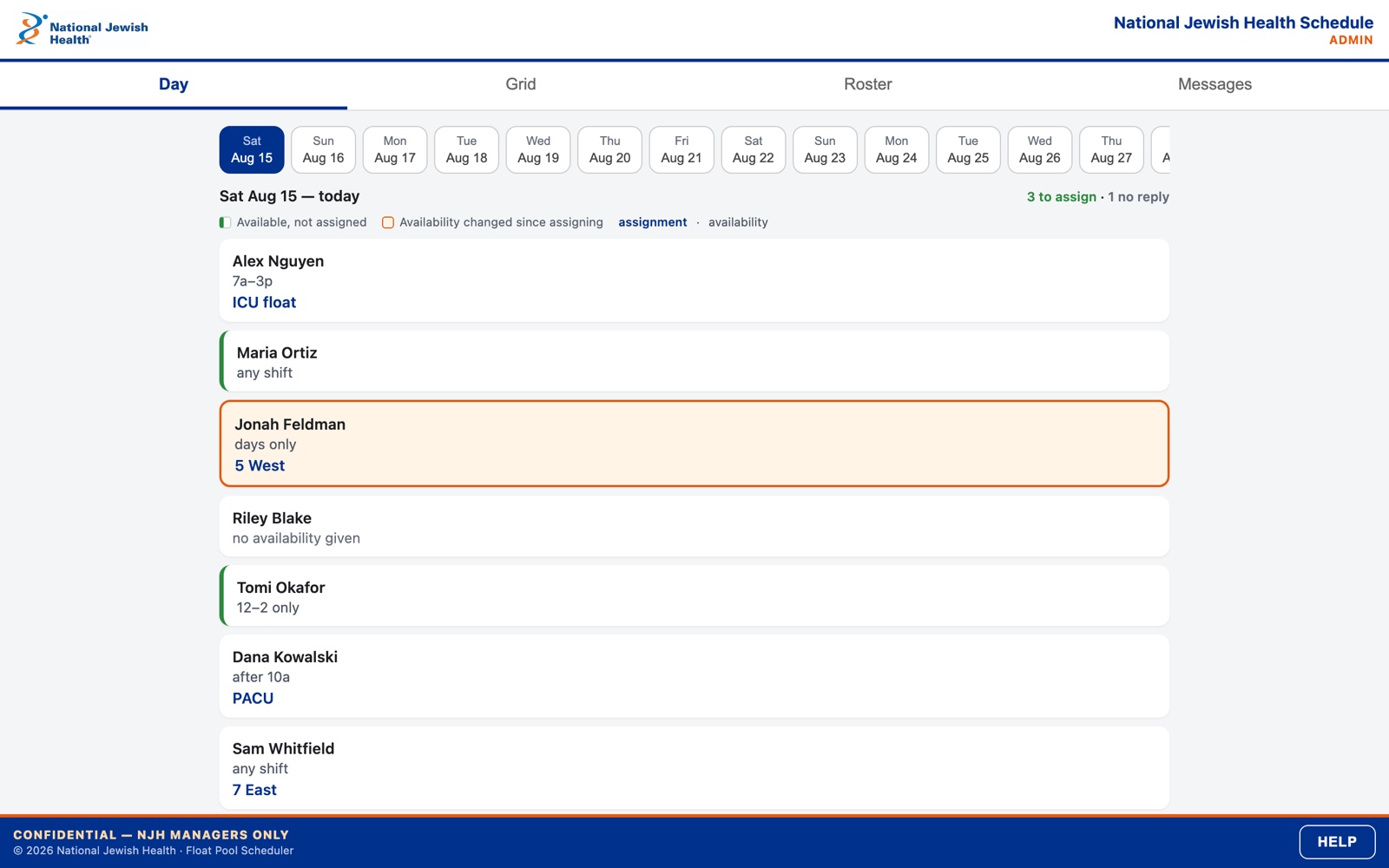
Screens rendered from a demo roster. No real staff data leaves the hospital.
The system
How the parts connectBefore & after
The account, both columnsBefore
- The authoritative schedule was a physical piece of paper. Every other copy was a rumor: changes were made in pen, and updates went out as photos over text message, out of date the moment someone edited the original.
- Moving it to a shared spreadsheet fixed the photocopies and created new problems. One link, one sheet, and anyone holding it could edit anyone else’s row, including assignments that were already final.
- A desktop grid on a phone screen. No reliable record of who changed what, because version history names an account, not a person. Offboarding meant remembering to change a sharing setting.
- Hours of admin work to build each schedule, then hours more answering questions and reconciling changes.
After
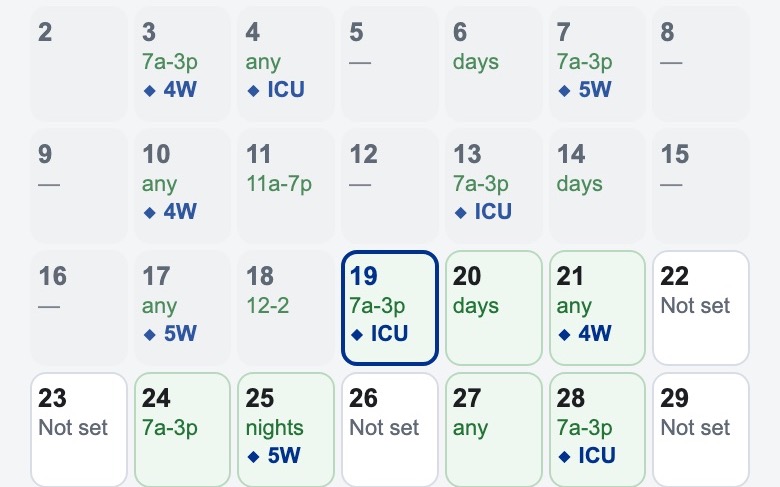
- Staff submit availability from their phones through personal, no-login links: as a running list of days, or as a month calendar. Typing saves itself; nothing has to be submitted. On iOS the text saves three separate ways, because switching to a text message doesn’t reliably tell the page you left.
- Each link carries a private token that is checked on every call, so a person can only ever see and edit their own row. Rotating a leaked link is one tap, and a person can always rotate their own, even if the system is throttling someone else.
- Schedulers work a Day view or a full-horizon Grid, with the roster managed in the same place. If someone edits their availability after a shift was booked against it, the shift is flagged for a second look.
- Shifts flow into the calendars people already use via a live subscription feed, or a one-time download.
- The Google Sheet remains the database and the emergency fallback: readable, printable, and editable if the app is down. A separate standby workbook is refreshed every hour, and a switch keeps outage edits from being overwritten when the app comes back.
- Every deploy runs 230 automated checks first, including one that fails the build if a maintenance function is added without an operator guard, because on this platform any unguarded function is reachable from any staff link.
The verdict
Everything the paper made hard (one copy, held by one person, out of date the moment it was photographed), the system answers: one authoritative schedule, readable from any phone, no logins, no app. The security review package I wrote for hospital IT lists the system’s own weaknesses before the reviewer can find them, which is the right order to do it in.
Bill of materials
What was used, and the job it did| 01 | Google Apps Script | the application and its API |
|---|---|---|
| 02 | Google Sheets | database a human can read, print, and rescue |
| 03 | ICS calendar feeds | shifts in the calendars people already use |
| 04 | Node test suite | 230 service and UI checks, run in CI on every push |
| 05 | Pinned clasp tooling | versioned, repeatable deployments |